Artificial intelligence is rapidly becoming part of the WordPress ecosystem.
With AI tools being integrated directly into WordPress and third-party plugins increasingly relying on AI services, website owners are being asked to make an important decision:
Do you want AI functionality enabled on your website?
For many organizations, the answer may be yes. AI can help with content creation, customer support, and automation.
But for others, AI introduces unnecessary complexity, additional privacy considerations, new security concerns, and functionality they simply don't need.
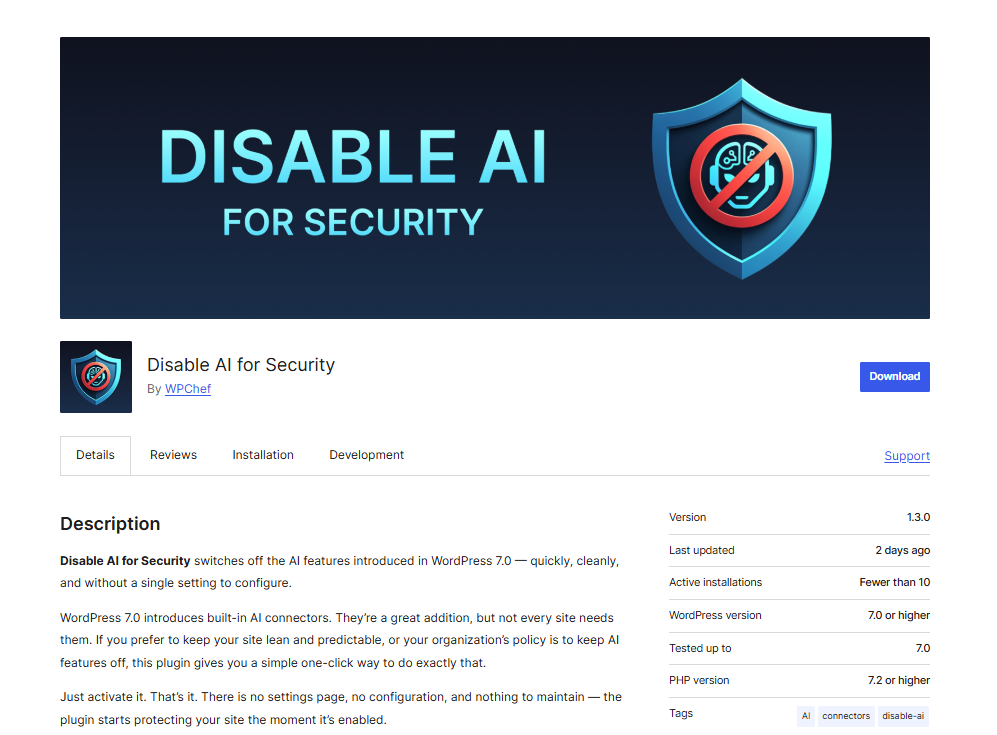
That's why we created Disable AI for Security, a lightweight WordPress plugin that gives website owners complete control over WordPress AI functionality.
Rather than navigating through multiple settings or trying to disable AI features one by one, this plugin allows you to disable WordPress AI integrations with a single click.
Why Disable AI?
AI technology offers many benefits, but it isn't the right fit for every website.
Many website owners are focused on providing content, generating leads, processing transactions, or supporting their communities. If AI isn't part of your strategy, there may be little value in keeping AI services active.
Here are some of the most common reasons site owners choose to disable AI functionality:
Reduce Your Attack Surface
Every new feature added to a website creates additional code, functionality, and potential entry points that must be maintained and secured.
While AI integrations are not inherently insecure, many security professionals follow the principle of minimizing unnecessary functionality. If a feature isn't being used, removing it can help simplify the environment and reduce potential risk.
Maintain Greater Control Over Data
Many AI services rely on external APIs and cloud-based providers.
Organizations operating in regulated industries or those with strict privacy requirements may prefer to limit communication between their websites and third-party AI services.
Disabling AI functionality helps ensure that AI integrations are not introduced unintentionally.
Keep WordPress Lean and Predictable
One of WordPress's greatest strengths has always been flexibility.
However, not every website needs every new feature.
Some site owners prefer a streamlined WordPress installation focused only on the functionality they actively use. Disabling AI helps maintain a simpler administrative experience and a more predictable website environment.
Meet Organizational or Client Requirements
Agencies, educational institutions, nonprofits, government organizations, and enterprise environments often operate under specific technology policies.
In many cases, administrators want explicit control over which technologies can be used within their websites.
Disable AI for Security makes it easy to enforce those standards across one site or hundreds.
How Disable AI for Security Works
The plugin is intentionally simple.
After activation, it:
- Disables WordPress AI providers
- Prevents AI connectors from loading
- Removes AI-related administration interfaces
- Blocks AI prompt execution
- Helps prevent AI functionality from being used across the site
There are no complicated settings, dashboards, or configuration screens.
Install it, activate it, and WordPress AI functionality is disabled.
Who Should Use This Plugin?
Disable AI for Security is ideal for:
- Small business websites
- Nonprofit organizations
- Government websites
- Educational institutions
- Membership sites
- Corporate websites
- Security-conscious administrators
- Agencies managing multiple client websites
- Anyone who does not currently use AI features within WordPress
If your organization has no need for AI functionality, this plugin provides a simple way to ensure it remains disabled.
AI Isn't Bad, but Choice Matters
We want to be clear: this plugin is not an anti-AI statement.
Artificial intelligence can be an incredibly valuable tool when implemented intentionally and appropriately.
The goal of Disable AI for Security is not to discourage AI adoption.
The goal is to give website owners a choice.
As WordPress continues to evolve, site administrators should be able to decide which features belong in their environments and which do not.
For organizations that prioritize simplicity, security, compliance, or operational control, disabling unused AI functionality may be the right decision.
Download Disable AI for Security Today
If you're looking for a straightforward way to disable WordPress AI features and maintain greater control over your website, Disable AI for Security can help.
The plugin is free, lightweight, easy to deploy, and requires virtually no configuration.
Install it today and decide for yourself whether AI belongs on your WordPress website.
About the Author
Greg Fisher has over 20 years of digital marketing experience. Along with Alex Benko, Greg’s has owned and operated several companies including an online travel agency, tour reservation software, and web host. Greg’s responsibilities at LLAR include marketing and user expansion.